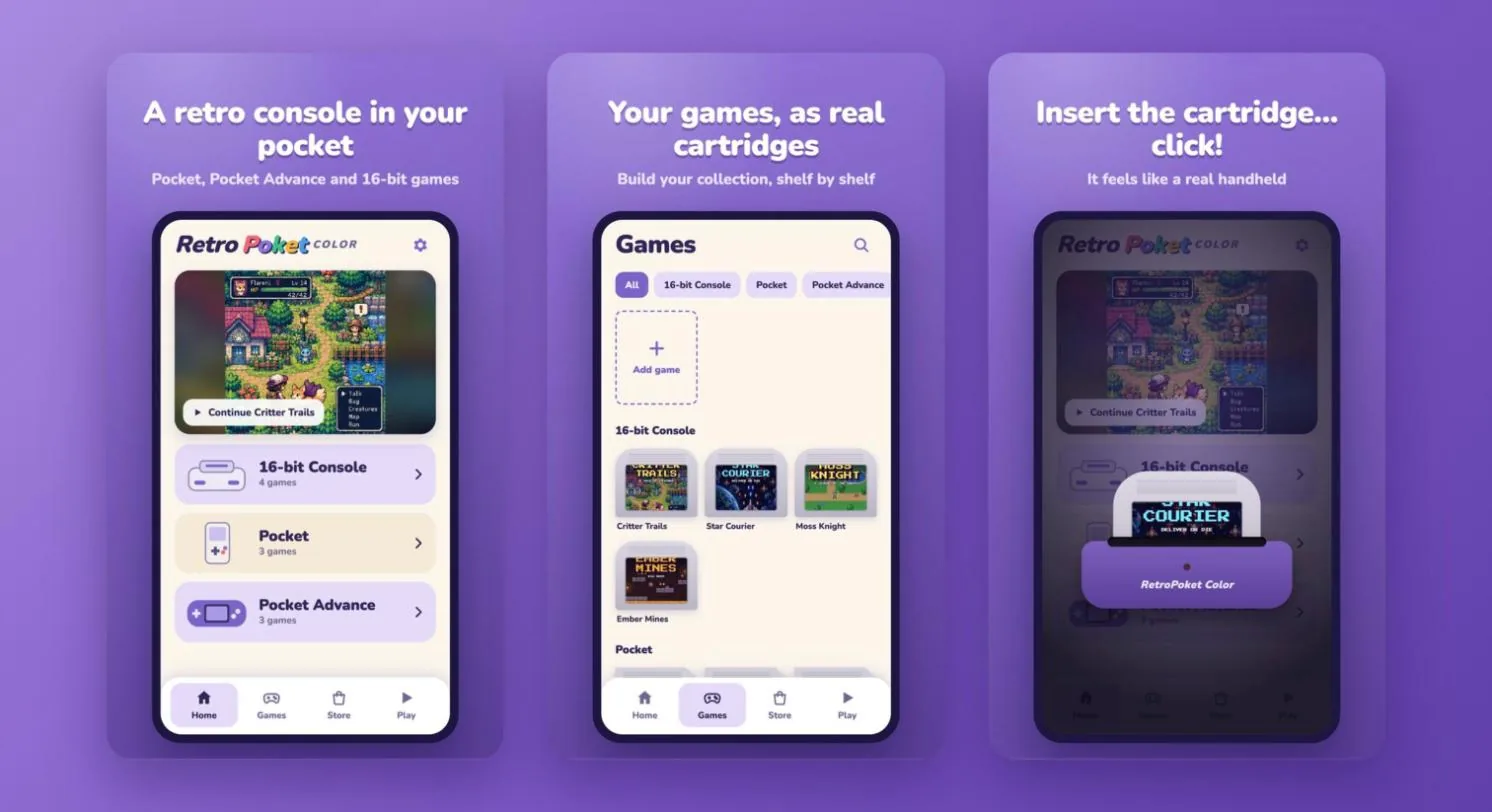
The Idea
It started when I just wanted to play old Nintendo games on my phone. I went looking for an emulator, and what I found was overwhelming: apps full of ads that charged you just to save your game. You couldn't really enjoy playing that way.
So I decided to make the one I wished existed, my own mini console in my pocket.
- Inspired by the Classics: A love letter to the Game Boy Color and Nintendo consoles.
- Free of Ads: Just you and the game, the way it used to be.
- Beautiful Skins: The only thing for sale is optional skins, because a console should look like yours.
Designing the Feeling of a Real Console
I didn't want to make an emulator. I wanted to bring back what it felt like to hold one of these consoles, so I designed around those small rituals.
A Gallery of Cartridges
I designed the game library as a shelf of cartridges instead of a list of files, sorted by console. Browsing your games feels like looking through your collection.
Insert It, Hear the Click
You don't tap a game to open it. You put the cartridge into the console, hear the click, and watch it power on with a startup screen, just like you used to.
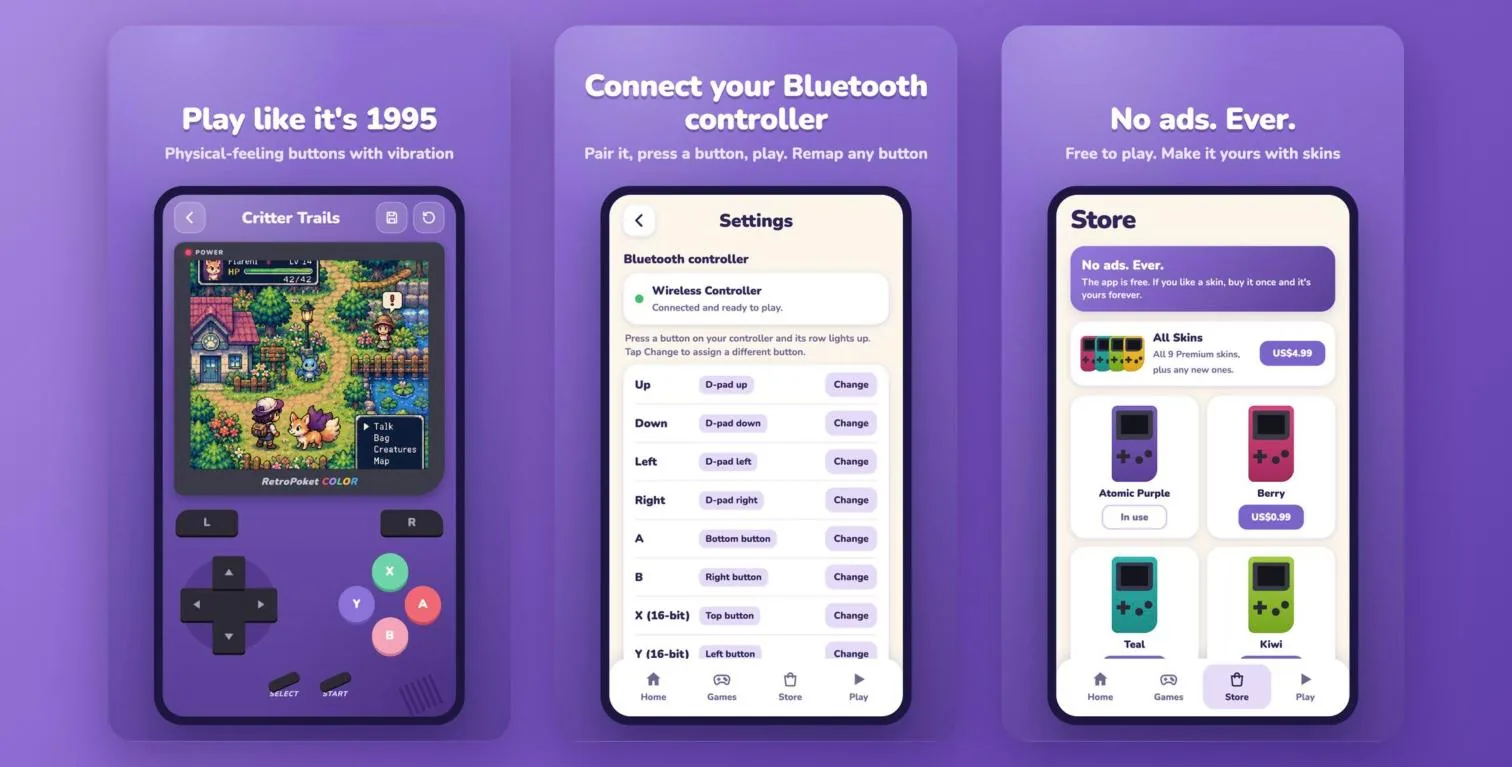
Buttons You Can Feel
The on-screen buttons vibrate when you press them, so your thumbs get some of that feedback back. It's a tiny detail, and it's what makes it feel like a console and not just a screen.
Building It With Claude Code
This is where my workflow moved past the Figma file. I built the app with Claude Code, working from my own UI designs.
- Three Consoles in One: The app plays Pocket (.gb, .gbc), Pocket Advance (.gba) and 16-bit Console (.sfc, .smc) games, with the emulators bundled inside.
- Bluetooth Controllers: Players can pair a controller and remap any button. I tested it with a Luna controller.
- A Fair Business Model: The app is free, and optional skins are a one-time purchase.
- No Games Included: People play copies of cartridges they own, or free homebrew games from indie developers.
Where It Is Now
- Android: Already on Google Play, in its user testing period with a group of real testers.
- iPhone: A free web version runs in Safari today, and a proper iOS app is planned for the future.
- Website: A product page at anitools.dev that explains the app and invites new testers.