AniDesignIt Portfolio
A personal portfolio built from scratch with Astro and a custom CMS to blend storytelling, motion, and code.
Overview
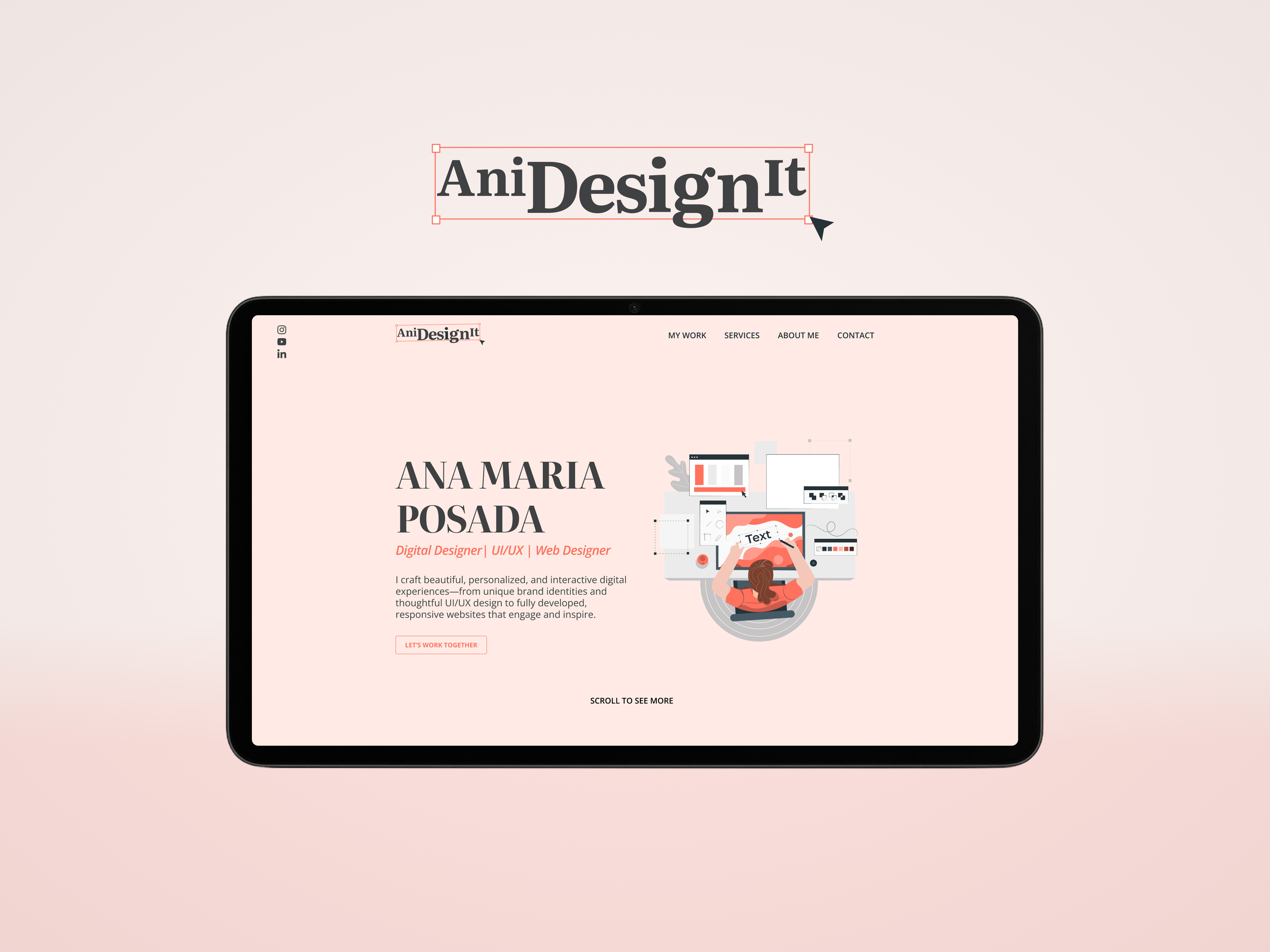
This was a personal challenge for me. I built my portfolio from scratch using Astro and Firebase, combining a clean UI with code that feels as intentional as the design. This was my chance to go beyond my old motion graphics background and show who I am now: a designer who builds and a developer who designs. I designed the full experience, from the brand identity to a custom CMS and a fluid horizontal scroll, using Lottie animations to bring the interface to life. It’s not just a website; it’s my story in motion.
Client
Year
Role
Tools
The Problem
My old portfolio was telling an outdated story. It focused on the motion designer I used to be, but it didn’t reflect the UI/UX designer and builder I am now.
I needed a space that showed my full range, from thoughtful design to clean and responsive development. So I rebuilt my portfolio. Now it reflects who I really am: a designer who can create and deliver complete digital experiences from start to finish.
The Goal
- Build a truly custom portfolio from scratch that feels like me, reflecting both my design and development skills.
- Create a custom CMS for my portfolio projects so the site can be easily customized or updated with new projects at any time.
- Use motion and playful interactions to tell my story, showing who I am: a designer who builds and a developer who designs.
Project Overview
Design Process (Figma):
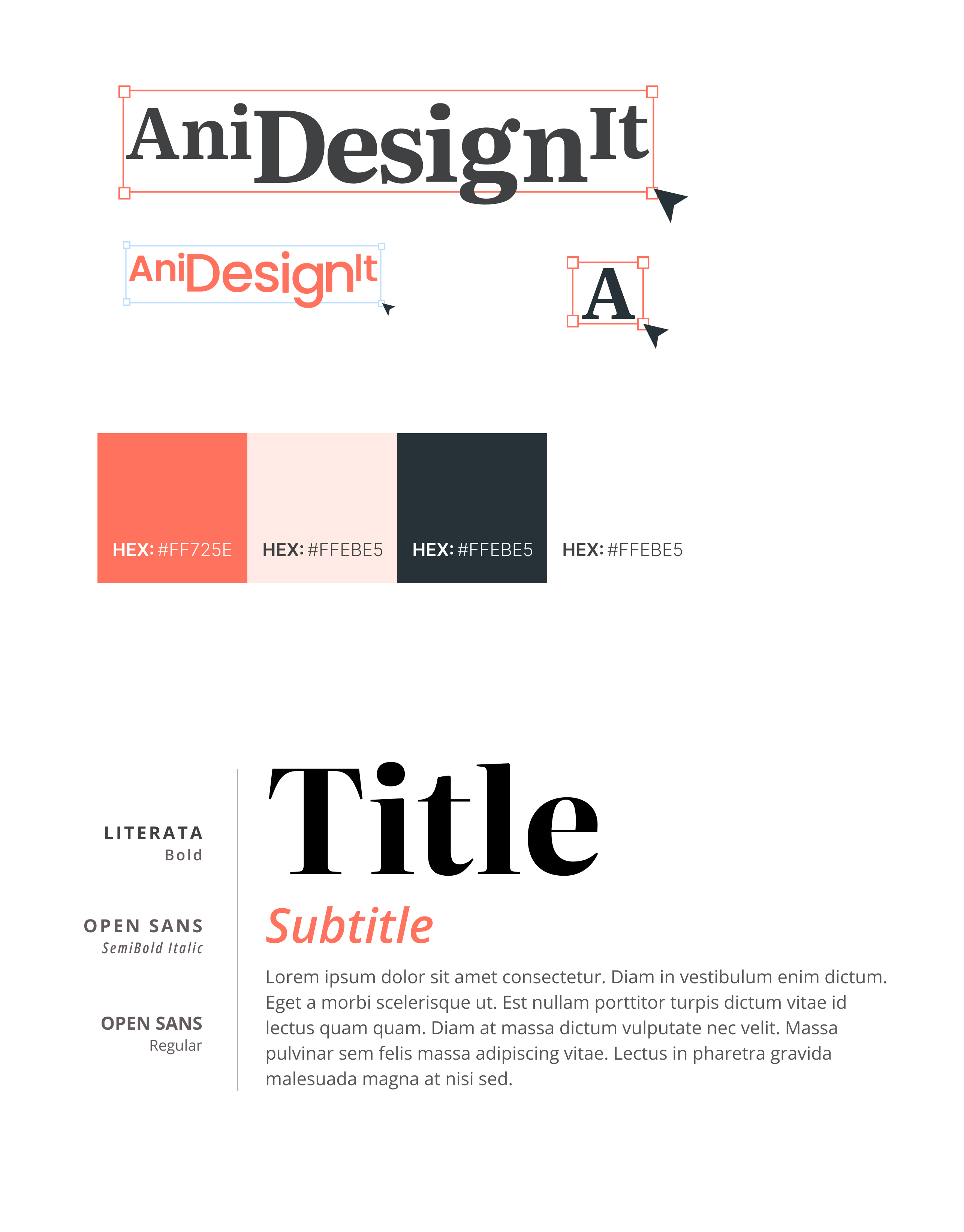
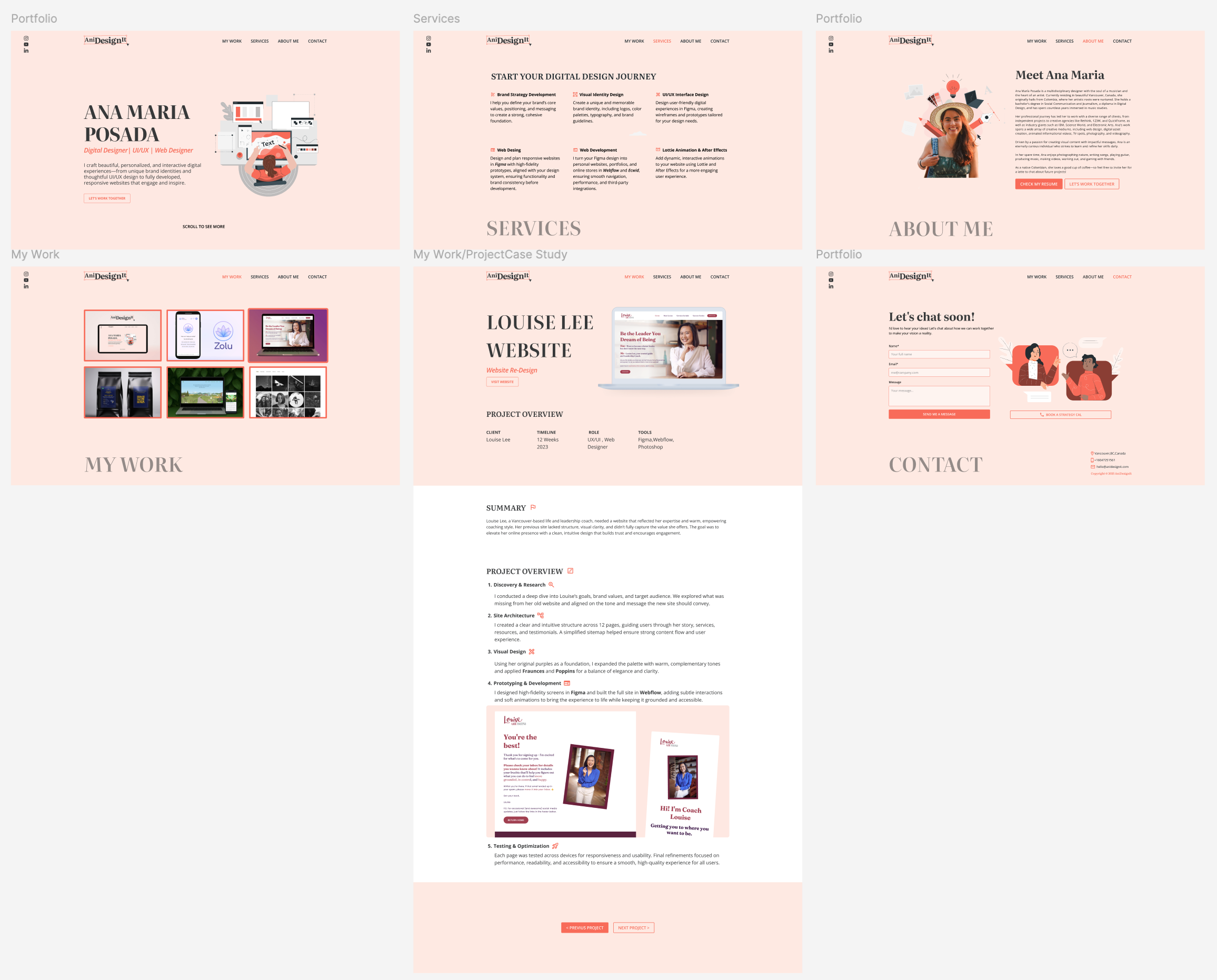
My process for this portfolio began entirely in Figma, starting with the core of the experience: brand identity. The logo itself was inspired by the four anchor points found in design tools—the ones used to drag, rotate, and scale elements.
From this core concept, I moved into detailed wireframes to build a solid structural foundation. For the color palette, I chose a warm and balanced color palette: a soft pink base for a human, welcoming feel; calm neutrals to ground the layout; and a creative, energetic orange as an accent to guide the user's eye and add life to key interactions.
For typography, I paired the expressive Literata for headings with the clear, readable Open Sans for all body text. This combination supports a strong visual hierarchy while keeping the entire experience elegant and accessible.
Front-End Development (Astro & AI):
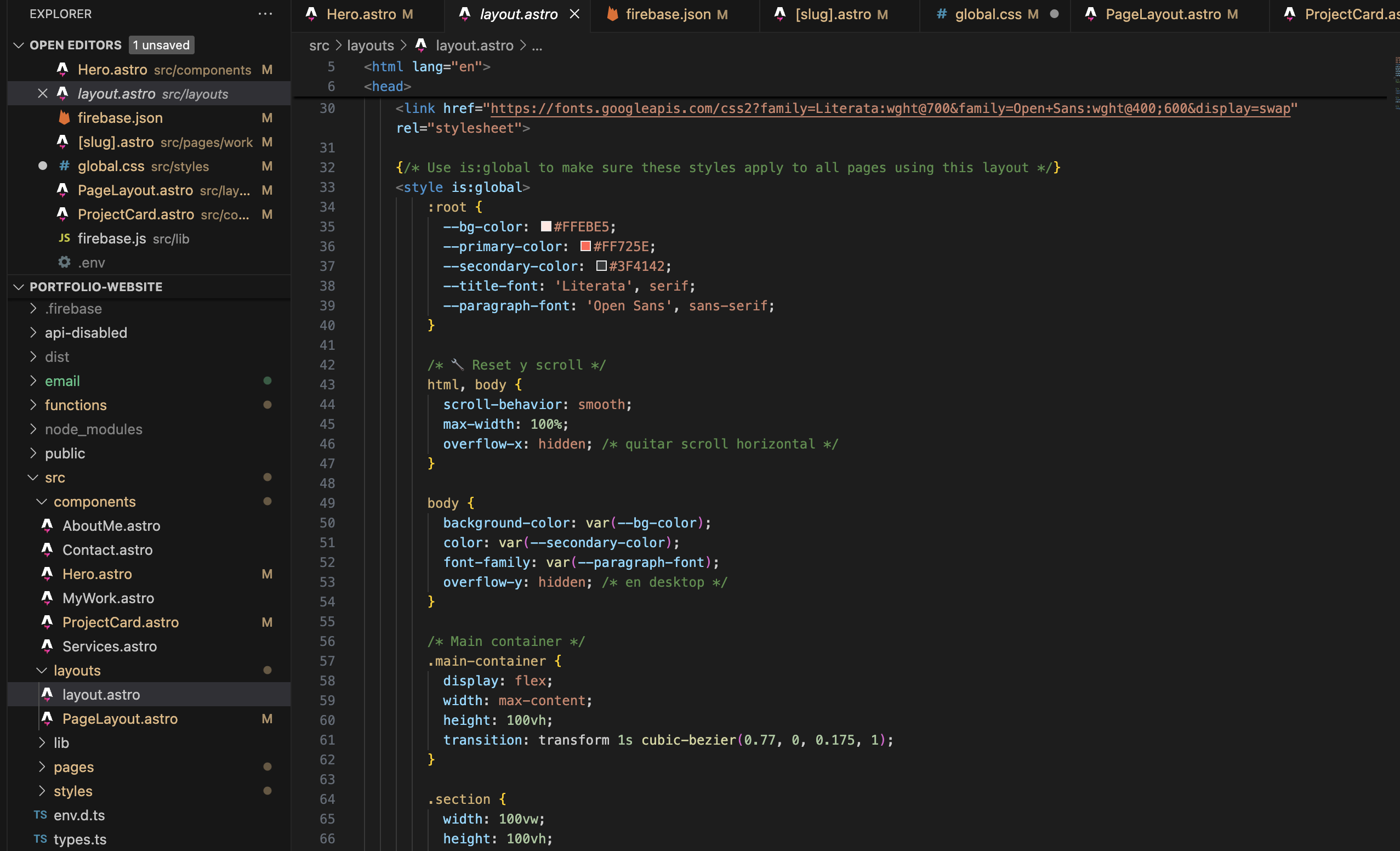
From Figma to code, this project was a major step up. My background was in building websites on drag-and-drop platforms like Webflow, but for this, I wanted to go deeper and build everything from scratch.
With the rise of AI, I finally saw a clear path. I chose Astro for its raw speed and how it lets me build in clean, reusable pieces. Then, I used AI tools like Gemini as my "coding partner." This wasn't about shortcuts; it was about learning. Instead of getting stuck on a tricky layout or a bug, I had a thought partner to help me understand the logic. This process was a huge learning experience, allowing me to ship faster, stay creative, and truly own the build from end to end.
Back-End and Dynamic Content (Firebase):
I needed a dynamic CMS but wanted to avoid the high costs of coupled platforms like Webflow's. My goal was a free, headless solution. I initially explored Strapi, but the self-hosting overhead was too complex for this project.
I pivoted to the Firebase ecosystem, using it as a complete BaaS (Backend-as-a-Service). I now use Firebase Hosting for deployment, Cloud Storage for media, and Firestore as my serverless NoSQL database. Integrating the Firebase SDK into my Astro/Gemini workflow was a perfect, streamlined fit that eliminated all backend maintenance and now powers my custom content dashboard.
Motion & Storytelling (Lottie):
There was no way I was going to build a static portfolio. The experience just had to move. This is where my old motion design skills came in handy, I made some Lottie animations to bring some life to the interface.
The main challenge was the navigation. I engineered a unique horizontal scroll for desktop and a standard vertical scroll for mobile. Getting this responsive logic to feel seamless—cinematic on desktop and practical on mobile, was the final challenge. The result is an interface that unfolds like a filmstrip, guiding you through a single, continuous narrative.
Results & Impact
- The final result is a fast, custom, and responsive website that’s a true reflection of my personal brand and my full skillset as a designer-developer.
- I successfully engineered a fully dynamic, CMS-powered website that can grow with me, all without the cost of a paid, coupled CMS.
- This project was a huge personal win: I proved I could own the entire design-to-development workflow, taking a concept from a static Figma prototype to a fully coded, interactive, and responsive live site.
💡 Key Lesson: This project changed my relationship with code. It used to be intimidating, but now I see it's the magic tool that brings my designs alive. I learned that to be a better designer, I need to build and feel my prototypes. With AI to help speed up the process, that's finally possible.